
Overview
Description
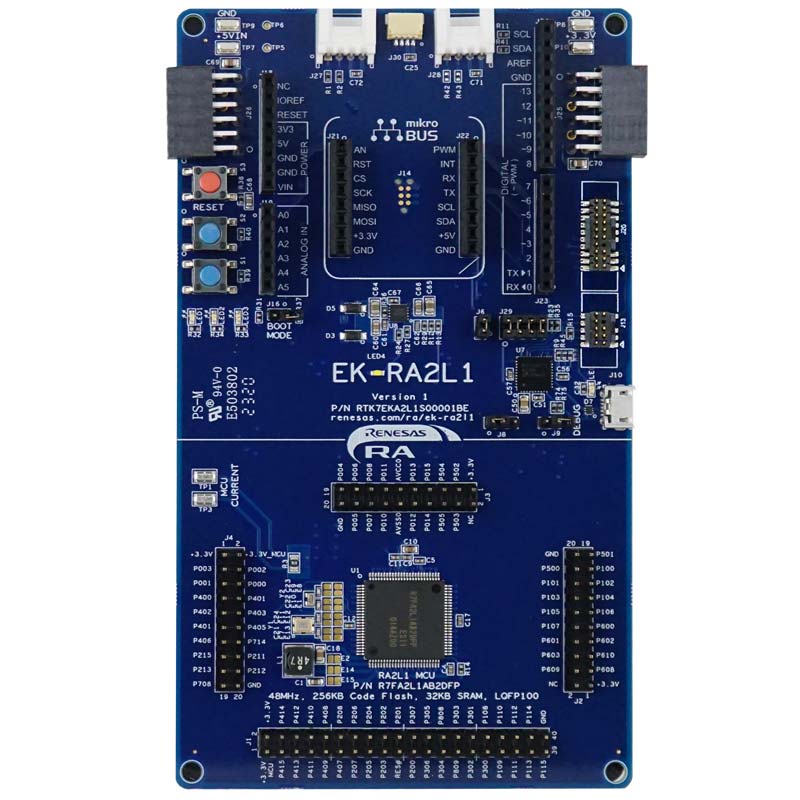
The EK-RA2L1 evaluation kit enables users to effortlessly evaluate the features of the RA2L1 MCU Group and develop embedded systems applications using Renesas' Flexible Software Package (FSP) and e2 studio IDE. Utilize rich on-board features along with your choice of popular ecosystem add-ons to bring your big ideas to life.
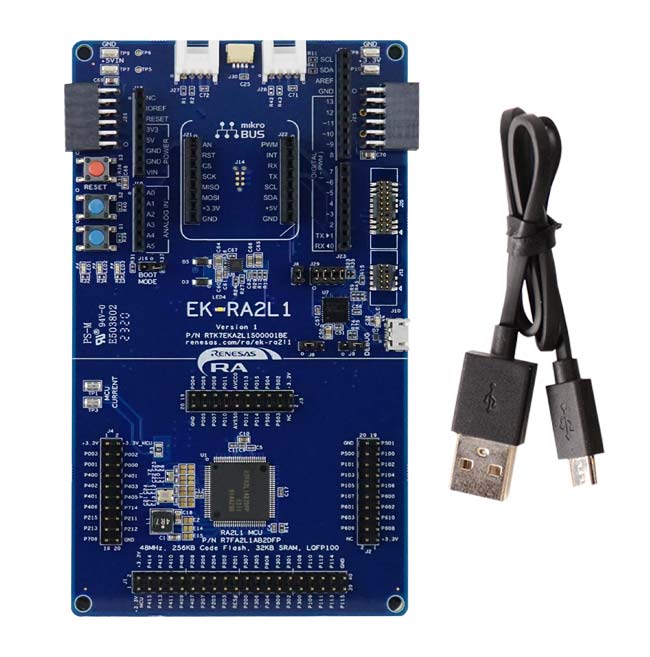
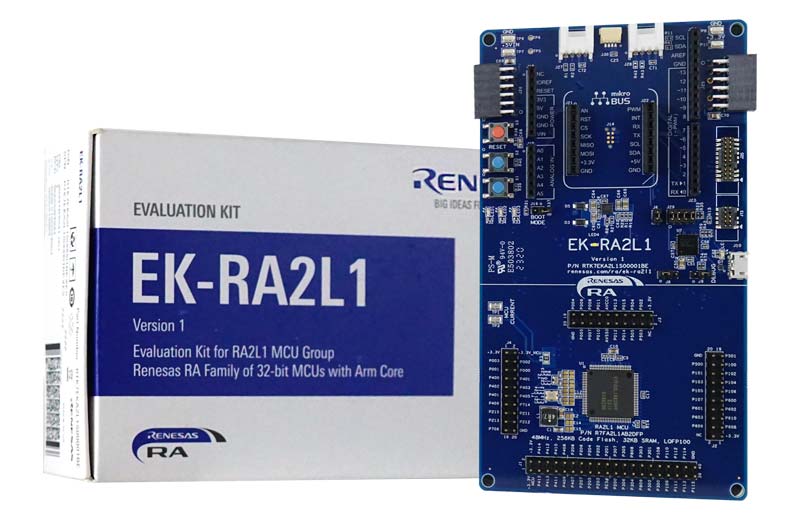
The kit includes the EK‑RA2L1 v1 board and a micro‑USB device cable (Type‑A male to micro‑B male).
Getting Started
Running the Quick Start Example Project
- The EK-RA2L1 board comes pre-programmed with a quick start example project (source code provided in the EK-RA2L1 example project bundle).
- Power up the EK-RA2L1 board through the USB debug port (J10) using the micro USB device cable connected to a 5V power source. The white power LED will light up.
- The quick start example project will begin to execute blinking the blue user LED.
- Refer to the EK-RA2L1 – quick start guide to explore additional functionality of the quick start example project.
Developing Embedded Applications
- Modifying the quick start example project – refer to the EK-RA2L1 Quick Start Guide for instructions on importing, modifying and building the quick start example project.
- Start with one of the many other example projects (provided in the EK-RA2L1 example project's bundle) – choose from many example projects to learn about different peripherals of the RA2L1 MCU group. These example projects can serve as excellent starting points for you to develop your custom applications.
Building Custom Hardware
- Start by building a functional prototype - utilize the EK-RA2L1 board with your choice of ecosystem add-ons.
- Build custom hardware – develop custom hardware by referring to the design and manufacturing information provided in the EK-RA2L1 design package.
Features
- MCU Native Pin Access
- R7FA2L1AB2DFP MCU
- 48MHz, Arm Cortex®-M23 core
- 256KB Code Flash, 32KB SRAM
- 100-pin LQFP (14mm x 14mm x 1.7mm, 0.5mm pitch)
- Native pin access through prototype friendly male headers
- MCU current measurement points
- Ecosystem & System Control Access
- Multiple 5V input sources
- USB (debug)
- External power supply
- SEGGER J-LinkTM on-board programmer and debugger
- Debug modes
- Debug Onboard (SWD) – via J-Link
- Debug Out (SWD) – via J-Link
- Debug In (ETM, SWD & JTAG) – via J-Link, Arm® Keil® ULINKTM, IAR I-jetTM, Renesas E2/E2 Lite, etc.
- User LEDs and buttons
- Three user LEDs (red, blue, green)
- Power LED (white) indicating availability of regulated power
- Debug LED (yellow) indicating the debug connection
- Two user buttons
- One reset button
- Five most popular ecosystem expansions
- MikroElektronika™ mikroBUS connector
- SparkFun® Qwiic® connector
- Two SeeedGrove® system (I2C and analog) connectors
- Two Digilent Pmod™ (SPI and UART) connectors
- Arduino™ (Uno R3) connector
- MCU boot configuration
- Multiple 5V input sources
Applications
Documentation
|
|
|
|
|---|---|---|
| Type | Title | Date |
| Quick Start Guide | PDF 1.66 MB 日本語 | |
| Manual - Development Tools | PDF 4.13 MB 日本語 | |
| PCB Design Files | EK-RA2L1 v1 - Design Package
|
|
| Application Note |
PDF
683 KB
The EK-RA2L1 example project shows how to write code for various Renesas Flexible Software Package (FSP) modules supported by the EK-RA2L1 kit. The Flexible Software Package provides an optimized, easy-to-use, scalable, and high-quality software solution for embedded system design.
|
|
| Application Note |
PDF
286 KB
The Combination of Private LoRa and LoRaWAN Stack is a sample software that can switch the LoRaWAN and the Private LoRa wireless communications dynamically. This document describes the specification and usage of the sample software.
|
|
| Application Note |
PDF
579 KB
The LoRaWAN stack supports LoRaWAN interface which implements LoRaWAN protocol (Class A/B/C) specified in the specification version 1.0.4 and 1.0.3 which encompasses version 1.0.2. This document describes the API references and other information to use the LoRaWAN stack.
|
|
| Application Note |
PDF
490 KB
The LoRaWAN stack supports LoRaWAN interface which implements LoRaWAN protocol (Class A/B/C) specified in the specification version 1.0.4 and 1.0.3 which encompasses version 1.0.2. This document describes a sample software to control the LoRaWAN stack by AT command sets.
|
|
| Application Note |
PDF
482 KB
The Private LoRa stack supports a custom protocol for the LoRa-based wireless communication, which can be mainly used for the peer-to-peer and star network. This document describes the API references and other information to use the Private LoRa stack.
|
|
| Application Note |
PDF
493 KB
The Private LoRa stack supports a custom protocol for the LoRa-based wireless communication, which can be mainly used for the peer-to-peer and star network. This document describes a sample software to control the Private LoRa stack by AT command sets.
|
|
| Application Note |
PDF
667 KB
AI-generated Summary:
The LoRaWAN Sensor Demo package includes sample software that introduces how to visualize sensor data transmitted by a sensor node to Cloud (AWS/Azure) via LoRaWAN networks. This document describes the specification and usage of the sample software.
|
|
| Application Note |
PDF
786 KB
AI-generated Summary:
This LoRa-based wireles softwar package includes the sample software and evaluation tools to develop the LoRa and LoRaWAN based applications.This document describes the information on the contents of this package and how to setup the hardware and software.
|
|
| Application Note |
PDF
1.17 MB
AI-generated Summary:
The LoRaWAN FUOTA (Firmware Update Over The Air) provides a function to remotely update a firmware over the wireless communication. The LoRa Alliance standardized the FUOTA process utilizing the application layer protocols on top of the LoRaWAN protocol. This document describes a sample application to update a firmware over LoRaWAN.
|
|
| Application Note |
PDF
411 KB
The Radio Driver supports basic wireless communictions such as transmit and receive frames with LoRa-based modulation and (G)FSK modulation. This document is an API reference guide for the Radio Driver and MCU timer driver.
|
|
| Application Note |
PDF
430 KB
The support functions for regional radio regulations can be used for the Radio Driver to comply with the regional radio regulations. This document describes the support functions and how to configure each support function.
|
|
| Application Note |
PDF
426 KB
The Radio Evaluation Program can be used when to evaluate the characteristics of the board utilizing the LoRa-based transceiver. This document describes the specification and usage of the Radio Evaluation Program.
|
|
| Manual - Software | PDF 370 KB | |
| Manual - Software | PDF 1.86 MB | |
| Application Note |
PDF
1.50 MB
AI-generated Summary:
Low Power Modes (LPMs) reduce power consumption in RA2L1/RA2E1 microcontrollers by stopping the CPU while allowing selective peripheral operation. Four LPM types include Sleep, Software Standby, Snooze, and Deep Software Standby modes, each with different power-saving levels and peripheral availability. The document covers configuring LPMs, clock source changes at runtime, peripheral operation during LPM, and user interface control for mode transitions. It also explains power control modes, timer configurations, and debugging techniques to optimize battery life in embedded applications.
|
|
| Application Note |
PDF
189 KB
AI-generated Summary:
The Low Power Applications Package provides multiple application projects for Renesas RA family microcontrollers, including EK-RA2L1, EK-RA6M3, FPB-RA6E1, and FPB-RA4E1. It includes code and documentation for clock switching and operable long timer functions in low power modes. Users can access detailed application notes and example projects organized by device group. The package supports efficient low power management and offers links to product information, support forums, and software packages. It emphasizes reading included documents before use and outlines revision history and legal disclaimers related to product use and intellectual property.
|
|
| Application Note |
PDF
2.88 MB
AI-generated Summary:
The document explains how to implement a low-power data logger using RA2L1 and RA2E1 MCUs. It details the use of peripherals such as a 12-bit ADC, Data Transfer Controller, Asynchronous General-Purpose Timer, Real-Time Clock, and Event Link Controller to minimize power consumption. The system operates mainly in Software Standby and Snooze modes, performing periodic A/D conversions, level judgments, and data processing with minimal CPU activity. Data transmission occurs upon wakeup requests. The project uses Renesas e2 studio IDE and Flexible Software Package, supporting sensor inputs and analog signals. It targets applications like fitness and fleet trackers, demonstrating efficient low-power operation and data handling.
|
|
| Flyer | PDF 534 KB 日本語 | |
| Flyer | PDF 412 KB | |
| Presentation | PDF 7.02 MB | |
| Presentation | PPS 23.74 MB | |
| Flyer | PDF 446 KB 日本語 | |
| Manual - Development Tools | PDF 488 KB 日本語 | |
| White Paper |
PDF
660 KB
日本語
, 简体中文
Advanced capacitive touch sensing enables fast, accurate, and noise-immune multitouch user interfaces. Second-generation sensor technologies support rapid scanning, 3D gesture recognition, and reliable operation in challenging environments. These capabilities allow designers to implement intuitive, responsive, and durable touch interfaces for applications ranging from home appliances to public kiosks.
|
|
| Report | PDF 187 KB 日本語 | |
28 items
|
||
Design & Development
Software & Tools
Software & Tools
| Software title
|
Software type
|
Company
|
|---|---|---|
| RA Flexible Software Package (FSP) FSP is an enhanced software package designed to provide easy-to-use, scalable, high-quality software for embedded system designs using Renesas RA Family of Arm Microcontrollers.
Note: FSP with e² studio Installer (Platform Installer) will install the e² studio tool, FSP packs, GCC toolchain, and Segger J-Link drivers required to use this software. No additional installations are required.
|
Software Package | Renesas |
| Renesas Flash Programmer (Programming GUI) Flash memory programming software [Support MCU/MPU and devices: RA, RE, RX, RL78, RH850, RISC-V MCU, Renesas Synergy, DA1453x, DA1459x, DA1469x, DA1470x, DA148xx, Power Management, Renesas USB Power Delivery Family, ICs for Motor Driver/Actuator Driver, V850, 78K0R, 78K0]
|
Programmer (Unit/SW) | Renesas |
| QuickConnect Platform QuickConnect platform enables fast prototyping by providing compatible hardware and software building blocks.
|
Software and Hardware Development Tools | Renesas |
3 items
|
||
Sample Code
Sample Code
Filters
|
||
|---|---|---|
| Type | Title | Date Date |
| Sample Code | EK-RA2L1 Example Project Bundle
[Software=RA FSP],[Board=EK-RA2L1]
ZIP
9.65 MB
IDE:
e2 studio/GCC/AC6, IAR, Keil MDK
The EK-RA2L1 example project shows how to write code for various Renesas Flexible Software Package (FSP) modules supported by the EK-RA2L1 kit. The Flexible Software Package provides an optimized, easy-to-use, scalable, and high-quality software solution for embedded system design.
|
|
| Sample Code | RA2E1, RA2L1, RA0E1, RA0E2 LoRaWAN® Sensor Demo Rev.2.90
[Software=RA Flexible Software Package|v6.2.0],[Toolchains=GNU Arm Embedded|13.2.1.arm-13-7]
ZIP
1.92 MB
Application:
Appliances, Building Automation, Communications Infrastructure, Connected Home & Entertainment, Industrial, Industrial Automation, Security
Compiler:
GNU ARM Embedded
Function:
Software Package
IDE:
e2 studio
The LoRaWAN Sensor Demo package includes sample software that introduces how to visualize sensor data transmitted by a sensor node to Cloud (AWS/Azure) via LoRaWAN networks. This document describes the specification and usage of the sample software.
|
|
| Sample Code | RA2E1, RA2L1, RA0E1, RA0E2 LoRa®-based Wireless Software Package Rev.4.90
[Software=RA Flexible Software Package|v6.2.0],[Toolchains=GNU Arm Embedded|13.2.1.arm-13-7]
ZIP
12.01 MB
Application:
Appliances, Building Automation, Communications Infrastructure, Connected Home & Entertainment, Industrial, Industrial Automation, Security
Compiler:
GNU ARM Embedded
Function:
Software Package
IDE:
e2 studio
This LoRa-based wireles softwar package includes the sample software and evaluation tools to develop the LoRa and LoRaWAN based applications.This document describes the information on the contents of this package and how to setup the hardware and software.
|
|
| Sample Code | LPM Application Package
|
|
| Sample Code | RA2L1/RA2E1 Group Example of Low Power Application (Data Logger) Rev.1.10 - Sample Code
|
|
5 items
|
||
Related Boards & Kits
Boards & Kits
Capacitive Touch Evaluation System for RA2L1
The RA2L1 capacitive touch evaluation system makes it easy for users to evaluate touch solutions offered by Renesas. You can start evaluating immediately out of the box using the board and software included in each kit.
Configuration
- RA2L1 CPU board
- Touch application board
- Self-capacitance... Read More

Evaluation Kit for RA2E1 MCU Group
The EK-RA2E1 evaluation kit enables users to effortlessly evaluate the features of the RA2E1 MCU Group and develop embedded systems applications using Renesas' Flexible Software Package (FSP) and e2studio IDE. Utilize rich on-board features along with your choice of popular ecosystem add-ons to... Read More

Evaluation Kit for RA2A1 MCU Group
The EK-RA2A1 evaluation kit enables users to effortlessly evaluate the features of the RA2A1 MCU Group and develop embedded systems applications using Renesas' Flexible Software Package (FSP) and various IDEs.
Getting Started
Running the Quick Start Example Project
- The EK-RA2A1 board comes... Read More

Evaluation Kit for RA2E2 MCU Group
The EK-RA2E2 evaluation kit enables users to effortlessly evaluate the features of the RA2E2 MCU Group and develop embedded systems applications using Renesas' Flexible Software Package (FSP) and e2 studio IDE. Utilize rich on-board features along with your choice of popular ecosystem add-ons to... Read More
Product Options
| Part Number | Status | Stock | Budgetary Price (USD) | Sampleable |
|---|---|---|---|---|
| RTK7EKA2L1S00001BE | Active | In Stock | 1u | $54.12 | Available |
Videos & Training
Kickstart IoT and embedded systems development using Renesas EK-RA2E1 and EK-RA2L1, Evaluation Kits for RA2E1 and RA2L1 MCU Groups. Familiarize yourself with the kit architecture, key features, quick start example project and many useful resources to begin innovating quickly.
Additional Videos
News & Blog Posts
Blog Post Jan 28, 2022 |
Blog Post Jan 28, 2022 |
Blog Post Nov 18, 2021 |
Blog Post Nov 11, 2021 |
Certifications
The EK-RA2L1 kit meets the following certifications/standards. Refer to the EK-RA2L1 user manual for the disclaimer, precautions and more details on the certifications.
EMC/EMI Standards
- FCC Notice (Class A) – Part 15
- Innovation, Science and Economic Development Canada ICES-003 Compliance: CAN ICES-3 (A)/NMB-3(A)
- CE Class A (EMC Directive 2004/108/EEC)
- Taiwan Chinese National Standard 13438, C6357 compliance, Class A limits
- Australia/New Zealand AS/NZS CISPR 32:2015, Class A
Material Selection, Waste, Recycling, and Disposal Standards
- EU RoHS
- China SJ/T 113642014, 10-year environmental protection use period
Safety Standards
- UL 94V-0
Partners

Zephyr Project
The Zephyr Project is an open-source, scalable real‑time operating system (RTOS) designed for resource-constrained embedded systems and supports a wide range of hardware architectures and development boards. For the Renesas RA2L1 Evaluation Kit, Zephyr provides focused documentation covering board features, supported peripherals, and basic build, flashing, and debugging workflows to help developers quickly get started.
Support
Support Communities
- Problems debugging EK-RA2L1 from VSCode
Hi, I've tried to use VSCode for building and debugging an example project on the EX-RA2L1 board. I've installed Renesas VSCode extensions according to the instructions. Building works fine, but debugging fails with the following message (from Debug Console): No matching device found : Device =
, CPU = Mar 13, 2024 - ek-ra2l1 RTC example do not work
Good day! I ran the example with RTС, but it doesn't work, it hangs here : FSP_HARDWARE_REGISTER_WAIT(R_RTC->RCR2_b.RESET, 0U); what could be the problem ? This thread was automatically locked due to age.
Dec 2, 2021 - EK-RA2L1 CAN
Good morning, I have been trying to configure my EK-RA2L1 device in order to use his CAN module. I have changed the soldering pins to be able to use the main oscilator of 20MHz and I have checked the impedance between CH and CL is of 60 ohm. However ...
Mar 24, 2022
Knowledge Base
- RA Family: How to use the Debug Out function of J-Link OB on EK (Evaluation Kit)
Last Updated: 12/14/2023 Question: How to use the Debug Out function of J-Link OB on EK (Evaluation Kit) Answer: Renesas has equipped each EK (Evaluation Kit) for RA MCUs, such as EK-RA2E1, EK-RA2E2, EK-RA2L1, EK-RA2A1, etcEK-RA4M1、EK-RA4M2、EK-RA4M3 ...
Dec 14, 2023 - RA Family: Automatic Baud Rate Calculations Reported in Generated Code in FSP
The EK-RA2L1 SCI is configured to an example baud rate (921600) in e2studio and then the project code is generated. The clock configuration is standard for the EK-RA2L1: The baud rate settings in the configurator are: The generated code is found in the hal_data.c file in ...
Feb 3, 2021 - Using SCI Boot with RA2 and RFP.
... and data flash) etc. To put the MCU on this state you need to drive the MD pin (P201) to low level. For example, on EK-RA2L1 you need to close jumper J16. The MCU will enter the boot mode only when the MD pin is held low on release ...
Nov 11, 2024

Support Communities


